Tag: review

  • Carpal Tunnel Mouse: 5 Of The Best Options

    Carpal Tunnel Mouse: 5 Of The Best Options

    If you are someone with carpal tunnel, you know how important it is to have a carpal tunnel mouse that can support your wrist so it does not hurt during your writing sessions is important, and there are so many out there to choose from.

    You might not know there are different types of accessories you can buy to make sure you are in less pain throughout your day, which is this article explains options out there in detail to help you make an informed decision.

    While it might be frustrating to have pain while you write, it doesn’t have to stop you from bringing your ideas to life.

    What Kind Of Mouse is Good for Carpal Tunnel?

    If you are suffering with carpal tunnel, there are a few things you can do to find a mouse that can help support your writing.

    According to OrthoInfo,

    Carpal tunnel syndrome is a common condition that causes numbness, tingling, and pain in the hand and forearm. The condition occurs when one of the major nerves to the hand—the median nerve—is squeezed or compressed as it travels through the wrist.

    OrthoInfo

    Anyone who is diagnosed with carpal tunnel needs to take is seriously because it is something that becomes worse over time if it is not dealt with.

    A mouse will not necessarily fix your problem, but it will help manage it.

    Can Using a Mouse Cause Carpal Tunnel Syndrome?

    There is some research to support that modern computers and mouses can be associated with carpal tunnel syndrome.

    Computer mouse use has become an integral part of office work in the past decade. Intensive mouse use has been associated with increased risk of upper extremity musculoskeletal disorders, including carpal tunnel syndrome. Sustained, elevated fluid pressure in the carpal tunnel may play a role in the pathophysiology of carpal tunnel syndrome.

    From: Effects of computer mouse design and task on carpal tunnel pressure by P J Keir, J M Back, and D Rempel

    Do Carpal Tunnel Mouses Work?

    Carpal tunnel mouses can certainly help prevent more issues throughout time. Carpal tunnel gets worse when you do not make adjustments to how you use your hands and can end up damaging your nerves worse.

    So, with that in mind, carpal tunnel mouses can be a way to help on your journey to becoming a professional writer.

    Carpal Tunnel Mouse

    Let’s take a look at some different options out there so you can find the right fit for you.

    Logitech MX Vertical Wireless Mouse

    The Logitech MX mouse is rechargeable and wireless so you can keep it where you need it while you work, which can be key to reducing muscle and nerve strain.

    This mouse keeps your hand in a neutral handshake position so you do not need to turn it as much as you would with a traditional mouse.

    It has a high-precision sensor so you only need to move your hand 4x less times than other mouses out there, which can help reduce strain over hours.

    One unique feature about this mouse is that you can use it across three computers using Logitech FLOW. That can help you use only one mouse throughout your day, which can help a lot with certain technical needs.

    You will get four months of use from a single charge (and three hours of use if you charge it for one minute), which can help a lot with making sure your mouse is available at all times.

    Perixx PERIMICE-713 Wireless Ergonomic Vertical Mouse

    The Perixx PERIMICE-713 mouse is a great option for those with carpal tunnel syndrome not only because i its design, but because it also has six buttons on the mouse you can customize for your own needs.

    That can help you move your hands less throughout your day and as you use your computer.

    It has up to 10 meters of distance so you can sit at a comfortable distance from your monitor for optimal posture.

    iClever WM101 Ergonomic Mouse

    The iClever WM101 mouse has a comfortable style, which also includes a thumb rest with four different resolutions, depending on how much or how little mobility you have.

    The four resolution adjustments include: 1000DPI, 1600DPI, 2000DPI and 2400DPI. If you do not know, those are different mouse sensitivity settings.

    It also has two buttons for “backward” and “forward” so you can browse with ease and not need to move your wrist nearly as much to click around.

    Using a wireless 2.4GHz connection, you can stay connected up to 49 feet, which helps when it comes to setting up your desk and posture how you prefer.

    For those with extra sound sensitivity, the buttons are also built to be more quiet so you do not just hear endless clicking as you browse on your computer. That can also help for people who need to be on the quieter side, such as those with newborns.

    DeLUX Wireless Ergonomic Mouse

    The DeLUX Wireless ergonomic mouse has a unique design with a removable palm pad as well that is built for extra comfort and support as you work.

    It has a frosted texture, which helps improve grip but also keeps dust and sweat off of the mouse, keeping it in better quality for longer.

    This mouse has a high of 4000DPI sensitivity, which would allow you to barely move your hand in order to move your mouse around your screen.

    The battery inside this mouse can also last for a whole week (assuming you work 8 hours per day) for each charge, making sure you have less charging to worry about each day.

    eirix Ergonomic Vertical Wireless Mouse

    The eirix ergonomic mouse has fun lighting, which can be an extra perk on top of the extra help and care it gives to dealing with carpal tunnel.

    The palm rest has some built-in anti-sweat materials so it stays comfortable and easy to use, even though hours of use. On the bottom it also has a smooth surface to help reduce drag, giving your joints a comfortable experience.

    The DPI settings come in four modes: 800, 1200, 1600, and 3200. You can switch between them by simply clicking a button, which makes computer use even easier.

    Need More Writing Help?

    Freelance Writer’s Pitch Checklist
    Grab it for free 👇

    Convince more editors to say YES to your pitches!

      We’ll also send you our weekly newsletter, which offers helpful advice for freelancing and publishing. You can unsubscribe at any time.

    • Best Grammar Checker Tools: These 9 Will Make Your Writing Super Clean

      Best Grammar Checker Tools: These 9 Will Make Your Writing Super Clean

      Have you ever wanted a magical editing wand?

      Just imagine: A flick of the wrist is all that would stand between you and the end of editing your writing. No frustration. Minimal time investment. An amazing manuscript or blog post.

      Alas, no such magic wand exists.

      But we do have grammar checker tools, which are the next-best things.

      Just remember grammar checkers are designed to make editing easier, not to eliminate the work completely.

      [sps_reusable_block post_id=43061]

      Putting the best grammar checker tools to the test

      During self-edits on my latest manuscript, I experimented with editing tools, both free and paid, to determine which could be most beneficial to The Write Life’s audience. Besides being an author, I’m an editor, so I also weighed each tool against what I’d look for when editing.

      Since editing has a broad definition — basically anything that improves your writing — it’s not surprising that the tools I tried had different functions, from checking grammar and style to eliminating unnecessary words, to identifying areas for improvement.

      What you want in a grammar checker or editing tool will influence which one(s) you choose. No one tool can do it all — nor can one of these tools wave away the work and critical thinking necessary for a well-edited blog post, magazine article or book.

      A grammar checker doesn’t replace a human editor. Because language rules and elements of a good story can be so flexible, human eyes will always be superior to the rigidity of automatic tools.

      Here are 9 of the best grammar checker tools.

      1. ProWritingAid

      What It Does:  ProWritingAid is a web editor and plugin that will clean up your writing by detecting grammar and spelling mistakes, plagiarism and contextual errors. It also analyzes your writing and produces reports on writing style, sentence length, grammar, and repeated words and phrases.

      Price: There’s a limited free version. If you upgrade to the premium membership, you can edit in Google Docs or Microsoft Word, access a desktop app and Chrome add-ins, and — best of all — lose the word-count cap.

      A monthly membership is $20, a year’s membership is $120,  or go the whole hog and buy a lifetime membership for $399.

      Who It’s For: Anyone, including students, authors, freelancers or ESL writers.

      How It Works: Click on “Try the editing tool,” create a free account, then paste in your text.

      The Best Part: ProWritingAid has a premium option, but most of the areas you’ll want checked are available for free.

      What Would Make It Better: Though ProWritingAid checks grammar, I slipped in a your/you’re mistake without getting flagged. I wasn’t overly fond of the tool’s inability to work offline, but its overall functionality is hard to argue with.

      Our Recommendation: Use ProWritingAid in the self-editing stage to guide your edits. 

      More Details: For an in-depth explainer of ProwritingAid’s free and premium versions, check out our full ProwritingAid review.

      2. AutoCrit

      What It Does: AutoCrit analyzes your manuscript to identify areas for improvement, including pacing and momentum, dialogue, strong writing, word choice and repetition. Depending on what plan you choose, you can also compare your writing to that of popular authors like Danielle Steel or James Patterson.

      Price: Three different plans are available: the “Free Forever” plan, which is free; the “Professional” for $30, or the “Annual Professional” for $297 per year. The latter offers a built-in discount of two months free every year. 

      Who It’s For: Fiction and non-fiction writers.

      How It Works: Paste your text into the online dashboard or upload a document and click on AutoCrit’s tabs to see its analysis. This tool uses data from various genres and more than a million books to provide a word-by-word level analysis of your writing and shows easy ways to improve the readability of your work.

      The Best Part: I spent the most time in the “Compare to Fiction” tab, which provides a comprehensive look at common issues. It highlighted my tendency to start sentences with “and” and “but,” and identified my most repeated words. I felt like I learned something about my writing, and that’s something I don’t think I could say about some other tools.

      What Would Make It Better: A more accurate definition of passive voice. It highlights any use of the “be” and “had” verbs, neither of which fully capture passive voice (you need a past participle in addition to a “be” verb), and many active voice constructions were falsely labeled as passive.

      Our Recommendation: AutoCrit is great to guide your edits in the self-editing stage. It’s best used for developmental edits, rewrites and avoiding common writing no-nos.

      More Details: For an in-depth explainer of Autocrit’s Free Forever and paid versions, check out our full Autocrit review.

      3. Grammarly

      What It Does: Grammarly is a grammar checker and proofreader.

      Price: A limited version is available for free, and Grammarly also offers a number of other free services such as a wordiness checker and tone detection. The business plan starts at $25 per member per month. For the most up-to-date info on Grammarly pricing, see their website. 

      Who It’s For: Anyone, including writers, business people and academics.

      How It Works: Copy and paste or upload your text into the online dashboard and let Grammarly work its magic. It flags potential errors, gives suggestions and provides an explanation so you can learn why it suggests the change. There’s also a free Grammarly Add-in available for Microsoft Word and a Grammarly for Chrome extension that’s also compatible with Google Docs.

      The Best Part: Grammarly is easy to use and pointed out a vocabulary issue or two that none of the other tools did. It’s superior to Microsoft Word’s grammar checker. Its synonym suggestion feature is pretty nifty, too.

      What Would Make It Better: As an editor, I work with many styles of writing, so it’d be helpful if Grammarly provided the option to switch between a few to ensure writers receive fitting suggestions to improve their work. For example, if you don’t use the Oxford comma, the editor will prompt you to do so, which isn’t right for all writing styles. 

      Our Recommendation: Grammarly is best for the final proofreading stage, or for people who want to learn more about the technical aspects of grammar. If you’re an editor or strong writer, you might find yourself ignoring more flagged items than you fix.

      More Details: For an in-depth explainer of Grammarly’s free and premium versions, check out our full Grammarly review. You can dig deeper into Grammarly features and benefits here.

      4. Hemingway Editor

      What It Does: Hemingway Editor is like a spellchecker, but for style. It provides a readability score — the lowest grade level someone would need to understand your text — and analyzes your writing to identify areas for improvement. Because it doesn’t require an internet connection, you can use it anywhere.

      Price: Free online, and a one-time payment of $19.99 for the desktop version, which is available for both Mac and PC.

      Who It’s For: Anyone

      How It Works: Paste your text into the dashboard and scan for highlighted sections of text. The highlighted text is color coded depending on your area of improvement, whether it’s hard-to-read sentences, the presence of adverbs, or passive voice.

      The Best Part: In addition to providing examples on how to fix passive voice or complex phrases, Hemingway Editor also identifies how many “-ly” adverbs and passive voice constructions you’ve used and suggests a maximum number based on your word count.

      In my prologue, for example, I had one use of passive voice, and Hemingway Editor suggested aiming for six uses or fewer — which I nailed. These recommendations reinforce the idea that not all adverbs or passive voice constructions are bad, and that’s something other tools miss.

      What Would Make It Better: Hemingway Editor was the cleanest and easiest to use of the free editing tools, but it’s not a true grammar checker or proofreader. Even though it’s not meant to catch grammar and spelling mistakes, any editing application that catches those mistakes is instantly more attractive.

      Our Recommendation: Use Hemingway Editor to increase the readability of your writing and identify problem sentences during the copyediting stage, but supplement your efforts with a grammar and spell checker.

      5. WordRake

      What It Does: WordRake cuts out the unnecessary words or phrases that creep into your writing. It works with Microsoft Word and Outlook, depending on which license you purchase. I tested the Microsoft Word version.

      Price: The Microsoft Word version is available for Mac or Windows, and you’ll pay $129 for a year or $259 for three years. The Microsoft Word and Outlook package version is only available for Windows, and it costs $199 for a year or $399 for three.

      Who It’s For: Bloggers, authors and editors using Microsoft Word or Outlook.

      How It Works: WordRake is an add-in for Microsoft products and requires you to install the program before using it, though it’s as easy as following the instructions. Select the text you want to edit, then use the WordRake add-in. It uses Track Changes to suggest edits, which you can accept or reject.

      The Best Part: WordRake is as close as you can get to an automatic editor. It appealed to me more as an editor than a writer, but it’s great at eliminating unnecessary phrases and words that bog down your writing.

      What Would Make It Better: I threw a your/you’re mistake in to see if WordRake would catch it. It didn’t, even though Microsoft Word flagged it. If WordRake could catch common writing mistakes like your/you’re or their/they’re/there in addition to unnecessary words, it’d be a hard tool to beat.

      Our Recommendation: WordRake is a great tool for the copyediting stage. Verbose writers, authors wanting to cut down on editing costs or editors looking to speed up their editing process will most benefit from WordRake. Watch out if you’re running Word on a slow computer: WordRake could increase your load time.

      6. Ginger Software

      What It Does: This AI-powered writing assistant and grammar and spelling checker works to improve your style and speed, plus boost your creativity. It also scans full, complex sentences and suggests context-based corrections. 

      Price: Ginger offers a free (but very limited) plan, so you’ll find it to be more effective through its premium offerings: $13.99 per month, $89.88 per year or $167.76 for two years. Heads up: It’s currently running a 30% off promo for all plans, so these prices may increase at any time. For most up-to-date pricing, check this page.

      Who It’s For: Anyone.

      How It Works: Whether you choose to download Ginger to your Chrome browser, as a desktop app or otherwise, all you have to do to get started is follow the setup instructions to install it. As an add-on or app, Ginger will highlight spelling, grammar and punctuation errors, and it’ll even help you rephrase sentences by giving you tons of alternative options.

      The Best Part: One word: cross-compatibility. Writers can download Ginger as a desktop app for Mac or Windows or directly into Google Chrome or Safari, and it works seamlessly with programs like Outlook, Microsoft Word and PowerPoint — you can even download it as a keyboard or app for Android phones and an app for Apple phones. 

      What Would Make It Better: Most grammar checkers offer a plagiarism detector, but Ginger doesn’t. Even if it only added it to premium plans, this would be a helpful feature to include. 

      Our Recommendation: Download Ginger If you have a good grasp of grammar and punctuation, and you need a grammar editor to back up your knowledge. 

      7. Scribens

      What It Does: Scribens is a free grammar checker that corrects more than 250 types of grammar, spelling and stylistic mistakes including nouns, verbs, prepositions, pronouns, homonyms, typography and punctuation.

      Price: Free for everyone.

      Who It’s For: Anyone, including writers, editors and authors of any genre, business people and academics.

      How It Works: Choose which extension(s) where you want to install Scribens, then download it and begin writing. To test it first, click ‘Grammar Check,’ then paste your text or import a file into the editor. Through color-coded suggestions, it’ll check your style, vocabulary, grammar and spelling, it detects patterns in your writing, and it grades readability. 

      The Best Part: You can download the Scribens extension in just about any place you’d need to write — i.e., social networks, websites with text zones (WordPress or forums), email platforms and more. Writers will be sure to enjoy this flexibility and the assurance that they can edit their writing right from any website or application. 

      What Would Make It Better: For a free grammar checker, Scribens offers more than the average free tool, but it’s not as intuitive as others on this list. I tested a simple their/they’re mistake and it didn’t flag it. It’s helpful that it notes bigger grammar errors like compound predicates, but as a grammar corrector, it should also be able to avoid smaller ones from slipping through the cracks.

      Our Recommendation: Use Scribens in the final stages of your copyediting. With minor issues out of the way, you can focus on addressing readability, syntax errors and stylistic elements with Scribens deeper analysis of your work.  

      8. WhiteSmoke

      What It Does: WhiteSmoke is a grammar checker and proofreading software that corrects spelling, word choice, grammar, punctuation and style mistakes. It also offers a translator and dictionary that supports more than 50 languages. 

      Price: WhiteSmoke offers three plans that include a web plan for $5.99 per month, which is compatible with all browsers. Its premium option is $6.66 per month. Its business option is $11.50 per month. For updates on pricing, check this page.

      Who It’s For: Students, professional writers and bloggers, business executives and employees and English learners.

      How It Works: After you register, choose a package and install this grammar checker, WhiteSmoke’s all-in-one English tool will provide grammar, spelling, punctuation and style checks when you click on highlighted text from any application or browser. 

      The Best Part: If you’re unsure about grammar rules during your writing process, check out WhiteSmoke’s handy video tutorials that focus on common writing problems and how to avoid them. Plus, if you need a template, it has more than 100 document and letter templates you can access.

      What Would Make It Better: Unfortunately, this grammar editor isn’t the most intuitive tool on this list, plus it has a limit of 10,000 characters at a time, where each letter, punctuation mark and space counts. (For reference, you can check 150,000 words on Grammarly!) If you write long-form pieces, this may not be the best tool to use to check your work. 

      Our Recommendation: WhiteSmoke offers many innovative features, but it shouldn’t be your main squeeze. Although it uses Natural Language Processing technology to enhance your writing, WhiteSmoke openly warns it won’t catch every grammar mistake, so supplement this checker with another one. 

      9. LanguageTool

      What It Does: A multilingual grammar, style and spell-checking software, LanguageTool is an Open Source application that checks your spelling, grammar, tone and writing style and instantly generates context-aware suggestions for more than 30 languages.

      Price: Besides the free plan that allows basic grammar checks of up to 10,000 words, LanguageTool also offers monthly or yearly plans for individual users. You can expect to pay $4.99 per month or $60 per year. For updates on pricing, check this page.

      Who It’s For: Anyone, including students, authors, freelancers, ESL writers and business people.

      How It Works: Try the grammar checker on the website’s homepage or download it as a Google Docs add-on or a Microsoft Word add-in. Write or paste your text into the editor, and it’ll underline your errors in red, yellow or blue to indicate whether you need to correct your spelling, grammar or style. 

      The Best Part: Similar to Hemingway Editor, you can take advantage of the web-based platform of this grammar corrector without the need to install anything. And because it’s multilingual, it offers a premium feature that detects gender while proofreading, which is super helpful when you’re unsure of how another language structures gender in writing. 

      What Would Make It Better: While they offer fun features like detection of incorrect numbers and of incorrect names and titles in emails, LanguageTool’s premium plans limit you to 60,000 characters per text field. It’s an improvement from the 10,000-character limit in its free plan but still a pain point for long works.

      Our Recommendation: LanguageTool grammar checker is a worthy writing assistant to consider if you write in or for other languages regularly, especially for its value. 

      This post contains affiliate links. That means if you purchase through our links, you’re supporting The Write Life — and we thank you for that!

      This is an updated version of a story that was previously published. We update our posts as often as possible to ensure they’re useful for our readers.

      [sps_reusable_block post_id=43061]

      Photo via rCarner/ Shutterstock 

    • This 30-Day Course Will Help You Earn a Living Online as a Freelance Writer

      This 30-Day Course Will Help You Earn a Living Online as a Freelance Writer

      Freelance writers come from all walks of life. Few of us knew as youngsters this is what we’d do for a living.

      That means many of us don’t study anything related to writing or business, or even follow a career path that would naturally lead to freelancing. We usually just have to sort of dive in and figure it out.

      Writer Gina Horkey pivoted from her work with a family-owned financial firm to freelance writing and virtual assistance in 2014.

      She had no formal training or professional experience, but she put up a website, wrote for Huffington Post in the early mornings to build clips and found her first paying client within two months by leaning into her experience in personal finance to quickly carve out a niche.

      She made more than $800 in her first month of paid work. She’s since written for big-name financial firms and publishers, including BMOHarris, Discover and GoBankingRates.

      Now she teaches others how to launch their own freelance writing or VA business through her well-known “30 Days or Less” courses and her blog, Horkey Handbook.

      Through her course 30 Days or Less to Freelance Writing Success (30DOL), Gina promises, “If you give me just 30 days, I’ll give you everything you need to build a high-paying freelance writing business.”

      I’ve been freelancing for nearly 10 years, and I wish I’d found this course at the beginning of my career. I recommend it to any writer who wants to quit their day job and quickly find paid writing work.

      How to find freelance writing success

      Without training or experience, Gina attributes her success to grit. She was unhappy in the job she’d had for 10 years and determined to develop a career she loved as a writer.
      Gina recommends goal setting and networking to set a foundation for your new career or side hustle as a freelance writer. But the real driver of your success will be how much work you put in.

      Gina got up to write at 4:30 a.m. until she left her day job at the end of 2014. She’s a mother of two, and her new income had to continue to support her kids and husband, who’s a stay-at-home dad.

      Your goals might be different — maybe you define success as a side hustle, extra income that pays off your debt or a hobby that lets you share your talent and explore your creativity.

      Whatever success means to you, you have to commit to doing the work to get there. 30DOL is a great introduction to how that work might look and where to start.

      Who should be a freelance writer?

      As Gina’s story illustrates, anyone can become a freelance writer. The work doesn’t require formal training, and you can start small to build experience that will help you get better clients and make more money.

      You should, at least, enjoy writing. There’s no sense in being self-employed at something you don’t enjoy — finding clients and managing your finances are unnecessary work if you’d be just as happy working for someone else.

      Freelancing is for people who want to carve their own path. Gina left behind her full-time job because she was unhappy there, and she chose freelance writing because she wanted flexibility and autonomy. She developed her writing skills along the way.

      As long as you enjoy it, writing is a learnable skill. Tons of writing websites, communities and courses exist to help you hone the craft, so don’t be intimidated if you’re not a star writer (yet). You can learn with practice and experience.

      30 Days or Less to Freelance Writing Success: Course details

      30DOL is an all-online course that covers the basics of becoming a freelance writer: what kind of writing you can do, how to find clients, how to pitch, business basics, building a website and self-promotion.

      It includes 12 text-based modules and a 90-day pitch challenge. Course participants can also purchase a membership to an exclusive Facebook group for leads and support.

      Text-based modules that cover the basics of freelance writing

      The text-based modules cover:

      • Laying the foundation: Set goals for your freelance business and build a support network of friends, family and colleagues.
      • Types of online writing: Learn the industries, mediums, formats and topics you can specialize in, plus what kind of writing pays best.
      • Where to find paid work: Research your target audience or clients, tap into your existing knowledge and find work through job boards and other sites.
      • Get your pitch on: Learn what makes a good pitch, how to keep track of your pitches and how to get started with a 90-day pitch challenge.
      • Establishing your business: Keep track of your finances, decide whether to create an official business, set your rates, create invoices and contracts, write your bio and polish your LinkedIn profile.
      • Building your writer’s website: Learn what your website needs (and why you need one).
      • Web hosting and WordPress tutorial: Learn the nitty gritty of creating a site, including registering a domain, setting up hosting and how to navigate WordPress. This module also includes video tutorials to show you how to set up pages and other functions in WordPress.
      • Promoting your new business: Build your brand on social media and email, and protect yourself as your profile grows online.
      • Honing your writing skills: Get tips for coming up with ideas, formatting for the web, using images, conducting research, interviewing sources; and writing for various markets, including content marketing, copywriting, SEO writing and B2B writing.
      • Helpful tools: Get an overview of the Google suite, tools and courses to help you write better, and tools to streamline your pitches.

      Each module includes several lessons, a checklist of action items to apply the lesson to your work and a quiz to help you evaluate what you’ve learned.

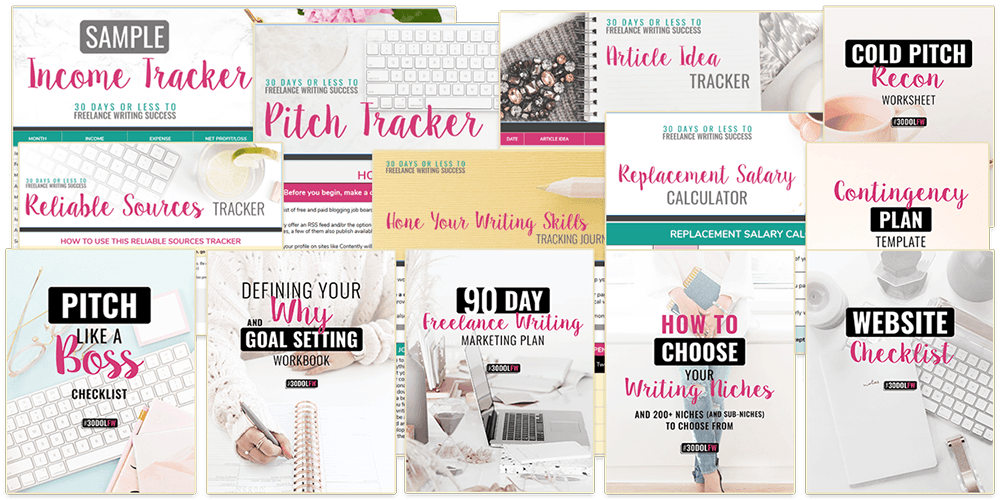
      Each lesson ends with an action step or several, which I love. They’re filled with useful resources, including Gina’s own worksheets, personalized tools (like the Pitch Tracker) and links to third-party resources.

      90-day pitch challenge

      The course doesn’t present the challenge as a separate component — it’s just part of the pitching module — but I think it’s a section worth pointing out for its unique value. The 90-Day Pitch Challenge encourages you to send 10 pitches per weekday — 600 total by the end of the challenge.

      It sounds like a lot — but that’s the point. Setting the goal to write and send tons of pitches forces you to get into the habit of brainstorming, researching publications and pitching. Plus, you’re bound to get at least a few yeses out of 600!

      The challenge includes a free Pitch Tracker spreadsheet so you can track where and what you’ve pitched, contact information and responses.

      This challenge is a good example of how 30DOL drives participants to action. You get a framework for action and the tools you need to succeed — you just have to commit to the work.

      Optional add-on: Facebook group for leads and support

      30DOL course participants have the option to purchase a $33-per-month membership subscription to the exclusive VA Leads Facebook group, where you can network with other freelancers, get support from Gina and her team and take advantage of shared client leads.

      The benefit of the additional price tag is the group is pretty small for an online community — fewer than 500 members when I checked. And you know everyone there is serious about making their freelance business work. That makes for focused and valuable discussion, and the intimate size gives you better access to career and course support.

      The membership also includes a free Flywheel WordPress hosting account, usually $15 to $30 per month.

      Pros and cons of 30 Days or Less to Freelance Writing Success

      My favorite aspect of 30 Days or Less to Freelance Writing Success is its focus on actionable advice. Every lesson includes explicit action steps, so you know how to apply what you’ve learned to building your freelance business.

      Most importantly, the advice in the course is sound. Gina shares action steps and exercises she used to find success as a writer, and I’ve had success with many of the same tactics throughout my career. It’s safe to say you’ll find freelance writing work by following the steps recommended in the course.

      I also like that the lessons are text-based, because it keeps the course simple and accessible. You can read them on any device. The course platform is easy to use on desktop or mobile, so it’s easy to bounce around among modules and mark them as completed when you want to.

      The biggest drawback to the course is it’s a lot of information to absorb as a new freelancer. It’s everything you need to know to run a freelance business and make it your main source of income. You could become overwhelmed if you try to tackle it all as you start freelancing, especially if you’re writing on the side of a full-time job.

      But the course is a trove of information and resources you’ll find valuable throughout your career. Once you sign up, you’ll have lifetime access to the course, so you could take it slow and revisit things like building your website and promoting your business when you’re further along.

      How much does 30 Days or Less to Freelance Writing Success cost?

      The course costs either a one-time payment of $297 or four monthly installments of $89 ($356 total). Registration gets you instant, lifetime access to all course modules and materials.

      Access to the VA Leads Facebook group (which includes free WordPress hosting) costs an additional $33 per month, and you can make your first payment when you register for the course.

      Is Gina Horkey legit?

      In a nutshell, yes! Gina Horkey is absolutely legit. She has shared her advice with The Write Life readers before, and we’re happy to recommend her course to anyone who wants to kickstart a freelance writing career.

      Gina has been working as a freelance writer, covering personal finance, freelancing and entrepreneurship, since 2014. Throughout the course, she’s transparent about her finances, sharing her early income wins and goals.

      She’s built a strong network around Horkey Handbook courses and resources, and her readers and students share glowing online reviews.

      If you’re not sure whether you’re ready to dive in, check out Gina’s article on becoming a freelance writer, including some worksheets to boost your writing business, to see what she has to offer.

      Bottom line of our 30 Days or Less to Freelance Writing Success review: Gina Horkey knows what it takes to launch a freelancing career from scratch, and she laid out the blueprint in 30DOL. 

      Following the action steps in the course will almost certainly get you freelance writing work. This online writing course might be a bit too comprehensive for side hustlers, but it’s well worth it if you’re ready to make writing your full-time job. It also makes a great gift for writers you might know who are serious about growing their careers.

      This post contains affiliate links. That means if you purchase through our links, you’re supporting The Write Life — and we thank you for that!

      The original version of this story was written by Cruz Santana. We updated the post so it’s more useful for our readers.

      Photo via GuadiLab / Shutterstock 

    • Will Moyer’s Writing for the Web: Review

      Will Moyer’s Writing for the Web: Review

      We review ebooks, courses and tools for writers, so you can make good decisions about how to invest in your writing career.

      Ebook: Writing For The Web

      About the creator: Will Moyer is a web designer and front-end developer who loves writing and clean design.

      Price: $4.99

      Who It’s For: Writers, bloggers and editors who want to streamline their content-creation and collaboration processes.

      If you’re already tech-savvy (e.g., you’ve explored a variety of writing tools and are comfortable with HTML), this book won’t add much to what you already know.

      However, if you’re frustrated with your existing writing tools and want to learn about your collaboration options beyond emailing Word docs back and forth, you’ll want to check it out.

      What It Will Help You Do: This is a logical, practical, no-nonsense look at a writer’s workflow and toolbox. The book helps you analyze your current tools and process and identify opportunities to make it easier, more comfortable, and more efficient.

      Will’s list of suggested plain text editors and collaboration tools for different writing preferences gives you the chance to find one that works for you, whatever your needs. (Want to switch back and forth between your Windows laptop and your iPad? Need to share your work with a client who only accepts Word docs? There’s an option for that.)

      The book also includes a gentle intro to HTML and CSS; while Will acknowledges that writers don’t need to know a lot about programming, they do need to understand enough to see how it affects their digital content’s presentation.

      The Best Part: Will’s conversational style makes the book easy to read; he clearly explains technical concepts and addresses concerns for the non-technical writer. His list of tools and explanation of how to link them together into a workflow is helpful to those interested in overhauling their writing processes. The resource links at the end are great as well.

      The book outlines a variety of options and leaves the choice in the reader’s hands — how will you create your own toolbox?

      What Would Make It Even Better: As Will freely admits, the book is just one guy’s opinion on writing workflow options. Having said that, it’s a pretty well-thought-out one.

      Our Recommendation: If you’re considering making a change to your workflow, this book will help you find and understand tools that can make you more efficient.

      This post contains affiliate links. That means if you purchase through our links, you’re supporting The Write Life — and we thank you for that!

    • Dana Sitar’s Write Your Manifesto: Review

      Dana Sitar’s Write Your Manifesto: Review

      We review ebooks, courses and tools for writers, so you can make good decisions about how to invest in your writing career.

      Course: Write Your Manifesto

      About the creator: Dana Sitar is an author, blogger and e-publishing coach. She blogs at A Writer’s Bucket List and co-hosts the This Is Temporary podcast.

      Price: $45. The course comes with lifetime access and a 30-day money-back guarantee.

      Who It’s For: Anyone who wants to write a nonfiction, message-driven ebook (or, as Sitar calls it, a manifesto). It’s a perfect fit for people who know they want to write an ebook, but aren’t sure what they want to say or how to get started.

      What It Will Help You Do: This course will walk you through each step of writing your ebook — everything from carving out the time to write to defining your audience and finding your voice.

      What’s Included: An online course with 10 modules:

      1. Commit to Your Writing Routine: How can you fit writing into your life?
      2. Clarify Your Message: What do you want to be known for? What do you have to offer?
      3. Define Your Audience: Who are you writing for?
      4. Describe Your Offer: How are you going to solve problems for your readers?
      5. Determine Your Action Steps: What actions do you want your readers to take?
      6. Create Your Outline: What is your book going to say?
      7. Know Your Unique Voice: What is your genuine voice?
      8. Consider the FAQs: What questions will your readers have?
      9. Write!: Finish your first draft!
      10. Review What You’ve Written: Who can you ask for feedback?

      Each module is further segmented into information and tips, writing prompts, worksheets and assignments. Some modules have an “additional resources” section with helpful links for further reading.

      The Best Part: This course breaks down the monumental task of writing an ebook into bite-sized chunks. The truth is that you probably don’t need help with the writing itself; you need help figuring out what to write, who to write it for and how to manage your time.

      That’s where this course comes in. Sitar helps you determine your message and your offer through helpful writing prompts, questions and exercises. As shown above, you don’t even start writing an outline until Module 6 — and you don’t start drafting until Module 9. To top it off, she even includes an ebook publishing timeline for spreading your message to the world.

      What Would Make It Even Better: There’s a private Google+ group for people taking the course, but it isn’t active. As evidenced by events like #NaNoWriMo, writers thrive when they have a support network, so a lively Google+ community would give this course a huge boost. Almost all of the assignments are “community challenges” that encourage you to post in the group, but without anyone else posting there, it’s a bit intimidating.

      Our Recommendation: The hardest part of writing is starting, which is why this course is worth the money. It guides you through every step of the creation process, making completing an ebook much more manageable. If you take this course, you’ll have zero excuses for not starting — or finishing — your project.

      This post contains affiliate links. That means if you purchase through our links, you’re supporting The Write Life — and we thank you for that!

      Are you planning to write an ebook in 2015?

    • John Soares’ Find Your Freelance Writing Niches: Review

      John Soares’ Find Your Freelance Writing Niches: Review

      We review ebooks, courses and tools for writers, so you can make good decisions about how to invest in your writing career.

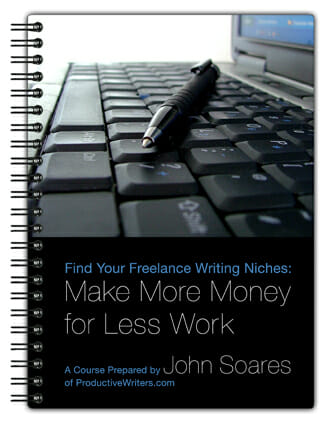
      Course: Find Your Freelance Writing Niches: Make More Money for Less Work

      About the creator: John Soares has been a full-time freelance writer since 1994. He is most known for ProductiveWriters.com, his main website for freelance writers, and his main niche is writing for higher education companies.

      Price: $20

      Who It’s For: New and seasoned freelance writers alike.

      What It Will Help You Do: The course explains why you should specialize, then guides you through the process of choosing niches that offer you the best chance of success.

      What’s Included: A three-part ebook and six exercises to help you implement what you learn.

      Part One (10 pages): Why You Should Specialize. This section examines all the advantages of being a specialist, plus looks at why most generalists don’t get paid as well as specialists do.

      Part Two (6 pages): How to Choose Your Niches. You get detailed guidance on how to mine your own experience and interests to find the niches likely to make you the most money.

      Part Three (9 pages): What to Do Now. This section helps you to develop a game plan to move forward once you’ve determined your niches.

      The Best Part: Doing the exercises forced me to go deeper and brainstorm some niche areas that I hadn’t considered before, like writing about parenting. I’ve got two toddlers and I’m not sure whom I consider an expert in parenting (therapists, pediatricians, etc.?), but I felt like I had to be one in order to write about it.

      I think it’s easy for writers to feel that way about subjects we’re interested in, but it doesn’t have to hold us back. I’ve started by writing (for free) for Liberating Working Moms and have some paid projects coming up talking about pregnancy, birth, infancy, etc. I think I limit myself more than anything!

      What Would Make It Even Better: There were a few instances where John said to “Google something” or go somewhere else for more information, but didn’t provide a link. A link as a starting point would be helpful, but I don’t like when I’m reading a book about how to do something and the author tells me to do more research; that’s why I’m here!

      He also refers to his “success resources page” quite a bit and tells the reader to go there for more information. Again, that’s why I bought this book.

      How It Changed My Life: As I alluded to above, I think the biggest growth I’ve had is in reevaluating my niches and the self-imposed limitations I’ve put on my writing subjects. Some of my niches were givens — for instance, my background is in personal finance, so it’s a natural fit.

      I also solidified several other niche options I hadn’t previously considered. Going forward, I plan to focus on finance, health and fitness, parenting and freelancing. Even though these are my “primary niches,” I’m not going to limit myself to only seeking out jobs in these areas. It is important to specialize, but it’s also important to stay open to learning new things and using different writing muscles.

      Our Recommendation: Overall, the course was a good read, priced right and would be great for a writer who feels lost when it comes to the niches he should focus on or which potential niches he should consider trying.

      This post contains affiliate links. That means if you purchase through our links, you’re supporting The Write Life — and we thank you for that!

    • Ali Luke’s The Blogger’s Guide to Effective Writing: Review

      Ali Luke’s The Blogger’s Guide to Effective Writing: Review

      We review ebooks, courses and tools for writers, so you can make good decisions about how to invest in your writing career. Thanks to Ali Luke for sharing a review copy of this ebook.

      Ebook: The Blogger’s Guide to Effective Writing

      About the creator: Ali Luke is a professional writer of both fiction and nonfiction, including The Blogger’s Guide series, Publishing E-books for Dummies and the novel Lycopolis. She holds a Master’s degree in Creative Writing, and her work has been featured on ProBlogger, Men With Pens, Copyblogger and Write to Done.

      Price: $29

      Who It’s For: The Blogger’s Guide to Effective Writing is great for new bloggers. While it doesn’t explain the technical aspects of setting up a blog, it will walk you through the brainstorming, planning and writing side of blogging.

      The ebook would also be helpful for people who’ve been blogging for a while and are struggling to come up with new ideas or feeling stuck. Bloggers who want to shake up their writing style or refine their editing skills will also find this guide useful.

      What It Will Help You Do: The ebook promises to teach you to write well-structured, easy-to-read posts that draw readers in; to brainstorm many new ideas for posts; and to figure out what kind of content your audience wants. As Ali says, “Writing well is a learned skill, and blogging is no different. The purpose of this ebook is to help you understand what goes into great content, so that you can produce your own.”

      The ebook starts at the very beginning by working through a plan for a new blog. You’ll explore why you’re blogging and consider your ideal reader and audience as well as your call to action: what do you want readers to do after they read your posts?

      Ali walks you through the process of planning blog posts, from coming up with ideas to planning a good mix of different types of posts (lists, essays, how-to, reviews, etc.), and uses examples from prominent bloggers to explain the advantages and disadvantages of each type. She explains the writing process by focusing on each element of a post separately (title, introduction, middle and conclusion), again using examples from well-known blogs.

      Finally, the section on editing helps you polish your writing, from big-picture revisions to improve the flow, to the ruthless cutting of fluff words and phrases to strengthen your copy, to proofreading for silly mistakes.

      What’s Included: The ebook is 83 pages long and includes an appendix with links to lots of free material that supports and expands on points addressed in the book.

      In addition, the package includes seven bonus templates: one for each of the four post types the ebook explains, and three analyzing the structure of posts by popular bloggers Darren Rowse, Charlie Gilkey and Skelliewag.

      Finally, Ali includes two videos in which she reviews six posts by different bloggers, explaining each post’s strengths and weaknesses. The first video focuses on creative, narrative-style posts, while the second features structured, informative posts with calls to action. She analyzes each blog’s design, taglines, post headlines, writing style, word choice and more to help viewers understand ways they can strengthen their own blog posts.

      The Best Part: The section on developing your voice was especially interesting and thought-provoking for me. It helps you consider what sets you apart as a blogger and guides you to find your writing voice — including how to modulate it for guest posting so your content fits in well on the other blog.

      In addition, I found the editing section very helpful; I’ve printed out the list of questions on page 74 and hung it above my desk to help me revise and strengthen blog posts.

      What Would Make It Even Better: It’s hard to say anything could be improved in this ebook, especially with the addition of the bonus templates and videos. The only quasi-criticism I have is that a lot of the early chapters are fairly basic and more experienced bloggers will skim right past them. However, newer bloggers will appreciate the level of detail, and both groups benefit from the later chapters.

      How It Changed My Life: I didn’t anticipate that the ebook would help me as an editor, especially the section on finding your blogging voice. Since my work involves revising and tweaking to make each post the best it can be while maintaining its writer’s voice, it was helpful to reconsider how different elements reflect the writer’s quirks and natural style.

      Our Recommendation: While this ebook will be most helpful for new bloggers who want to make their work the best it can be from the beginning, even experienced bloggers will find interesting experiments and advice that will help reinvigorate their work, like new idea-generation options or strategies for improving headlines.

      This post contains affiliate links. That means if you purchase through our links, you’re supporting The Write Life — and we thank you for that!

    • Problogger’s Guide to Your First Week of Blogging: Review

      Problogger’s Guide to Your First Week of Blogging: Review

      We review ebooks, courses and tools for writers, so you can make good decisions about how to invest in your writing career.

      Ebook: Problogger’s Guide to Your First Week of Blogging

      About the creator: Darren Rowse is a full-time blogger and founder of Problogger and TwiTip. He started blogging as a hobby in 2002, founded Digital Photography School in 2003, and began Problogger in 2004 as a way to catalogue his experiences with blogging. Under Rowse, Problogger became one of the most popular sites for tips on blogging. He is also cofounder of one of the largest blog networks in the world, b5media.

      Price: $19.99

      Who It’s For: This ebook is for bloggers who are just starting out or considering building a new blog. It would also work for those who have already set up a blog but are struggling with their next steps, those want to develop their existing blogs further, or those who have hit a rut in their content management schemes.

      What It Will Help You Do: Each day is complete with actionable and timed tasks that will help you plan out your blog development strategy. The specific and organized structure in this ebook makes it easier for you to keep going and accomplish your goals.

      What’s Included: This ebook provides practical instructions to guide you in your first week of blog development. Chapter by chapter, it explains in great detail what you should accomplish per minute on each specific day.

      What it does not include, though, are the technicalities of setting up a blog. Choosing your blogging platform, picking a template and creating a design are not part of the package, so make sure you have other resources to support you with these aspects.

      The Best Part: The specific to-do lists, including an estimated duration for each task, allow you to gauge how long each project will take. This approximation allows you to have realistic expectations of how much time you need to invest in your blog development while also allowing you to manage your schedule.

      What Would Make It Even Better: The ebook is fantastic on its own, but an accompanying app would make the program even better. The app could include a single platform for the blogger to practice all the exercises described in the book and have a publish straight-to-web feature. It could also include a timer to go along with the tasks listed in the book, as well as reminders and alarms.

      There could even be a premium feature that would notify Problogger editors of each ebook owner’s activity (which could be identified by a serial number for each ebook purchased), so they could offer comments, advice and encouragement.

      How It Changed My Life: I had always wanted to launch my own blog, but I worried about it taking up too much time from work, family and other responsibilities. However, the ebook’s time approximations per task really helped me — I was surprised to learn that the time commitment wasn’t as demanding as I had initially thought!

      Our Recommendation: Problogger’s Guide to Your First Week of Blogging is a treasure trove of valuable, actionable plans to get your blog rolling through its first seven days online. The detailed descriptions of the type and amount of work needed to be done each day makes developing a blog realistic and achievable for new bloggers. Each day is already pre-planned for you, so all you need to do is act on the exercises.

      This post contains affiliate links. That means if you purchase through our links, you’re supporting The Write Life — and we thank you for that!

      Have you used Problogger’s Guide to Your First Week of Blogging?

    • Darren Rowse’s 31 Days To Build A Better Blog: Review

      Darren Rowse’s 31 Days To Build A Better Blog: Review

      We review ebooks, courses and tools for writers, so you can make good decisions about how to invest in your writing career.

      Ebook: 31 Days To Build A Better Blog

      About the creator: Darren Rowse is undoubtedly one of the most successful bloggers in the world. He started his blogging career in 2002 and is best known as the originator of both ProBlogger and Digital Photography School. Problogger is home to thousands of articles and how-to’s, all injected with Darren’s practical and transparent approach to blogging.

      Price: $29.99

      Who It’s For: According to Problogger, 31 Days to Build a Better Blog is for bloggers at different stages of their blogging journey, including:

      • You’ve just started a blog and don’t know what to do next

      • You’ve had a blog for a while but it’s stalled in its growth

      • You’re a blogger with bloggers block and lacking inspiration

      There’s no technical background included on how to set up a blog so it’s assumed that your online space is already alive and kicking. Aside from that, this workbook would be very useful to beginners and those looking for a boost in their traffic.

      What It Will Help You Do: This is a 31-day program of small daily tasks designed to improve your blog. It covers everything from content ideas, the best social media platforms to focus on, analytics and more. It will give a clear framework to anyone who wants to improve their blog but doesn’t know where to start or what to prioritize.

      What’s Included: The workbook includes one topic for each day and each topic is broken down into the following sections:

      Teaching: An introduction to the focus of the day

      Task: A breakdown of today’s task in detail

      Notes: A few extra tips drawn from Darren’s own personal experience

      Interact: A hashtag to use when discussing this topic (this was more relevant when the 31DBBB program was first launched)

      Further reading: Links to related articles and posts

      Example: A case study of the topic being implemented successfully

      Each topic is covered in a good amount of detail but is broken down into a clear, actionable task.

      The Best Part: I thought the content tasks were particularly strong; I particularly enjoyed the methodical approach to content generation such as mind-mapping and creating list posts.

      You also can’t argue with the sheer value for money. Fundamentally you are getting each daily lesson from a true blogging expert for less than a dollar. There’s even a 60-day money back guarantee — no questions asked.

      What Would Make It Even Better: 31 Days to Build a Better Blog was completely updated and redesigned in 2012. However, it could be updated again to incorporate newer social platforms and more recent working examples.

      How It Changed My Life: I used this workbook as a framework when I launched my blog The Book Salon and it helped me methodically work through a very long to-do list.

      Our Recommendation: 31 Days to Build a Better Blog gives you a well-structured, well-paced overview of 31 different ways to improve your blog. It’s great value for money and highly recommended.

      This post contains affiliate links. That means if you purchase through our links, you’re supporting The Write Life — and we thank you for that!

    • Jon Morrow’s Guest Blogging Course: Review

      Jon Morrow’s Guest Blogging Course: Review

      We review ebooks, courses and tools for writers, so you can make good decisions about how to invest in your writing career.

      Course: Guest Blogging

      About the Creator: Jon Morrow is the former Associate Editor of Copyblogger and the brains behind Boost Blog Traffic. He’s big in this space, someone who practices what he preaches. And he has an inspiring personal story, too (more on that below).

      Price: $499, with an unconditional 30-day money back guarantee. If you do everything Jon tells you in the course and you still don’t get a guest post on a popular blog of your choice by the end of the 90-day program, you pay nothing.

      Who It’s For: Beginners and mid-level bloggers who want to learn about how to guest post on other people’s blogs. It also teaches why guest posting is a valuable strategy and how to leverage value out of the investment of your time on someone else’s blogs.

      What It Will Help You Do:

      1. How to find blogs that will accept your guest posts

      2. How to create a relationship with the blogger/editor before you pitch to them

      3. How to write awesome headlines

      4. How to write awesome blog posts

      5. What’s expected from you as a guest poster

      6. How to leverage value out of your guest posts (Hint: it’s not about the links)

      What’s Included:

      • Headline Hacks ebook

      • 17 lesson videos (some with homework)

      • Various other course related .pdfs, videos, and podcasts

      • Access to a private forum

      • Help with reviewing and editing your guest posts before they are submitted–as in someone will spend quite a bit of time on helping you with your post.

      • Access to weekly video conferences Jon where guest posts are reviewed and Q&A sessions.

      The Best Part: Jon Morrow. Jon is quite an inspirational person. As you go through the course, you get to know a little about his life story.

      Jon has a way of writing and communicating that makes it seem like he’s in the room with you. He also wants to share and pass on those communication skills to you.

      I also appreciate that the course teaches you how to guest post in a methodical and process orientated way. The course defines guest posting as a process and then explains each step of the process to you.

      What Would Make It Even Better: The content of the course is great. What would help make the overall community better is to improve the activity of the forum between members. The potential of the community perhaps isn’t being explored to the fullest.

      Our Recommendation: If you’re serious about your career as a blogger and plan to spend more than four hours a week on blogging in the coming year, then buy this course. You don’t want to spend hundreds of hours of work on your blog and not get something back from the time you’ve spent.

      If you are an existing blogger with tens of thousands of subscribers already, you probably don’t need to go hunting for guest posting opportunities.

      This post contains affiliate links. That means if you purchase through our links, you’re supporting The Write Life — and we thank you for that!